Voile's User Interface
Voile's interface is not just a Markdown renderer but also finely tuned UI for the best user experience.
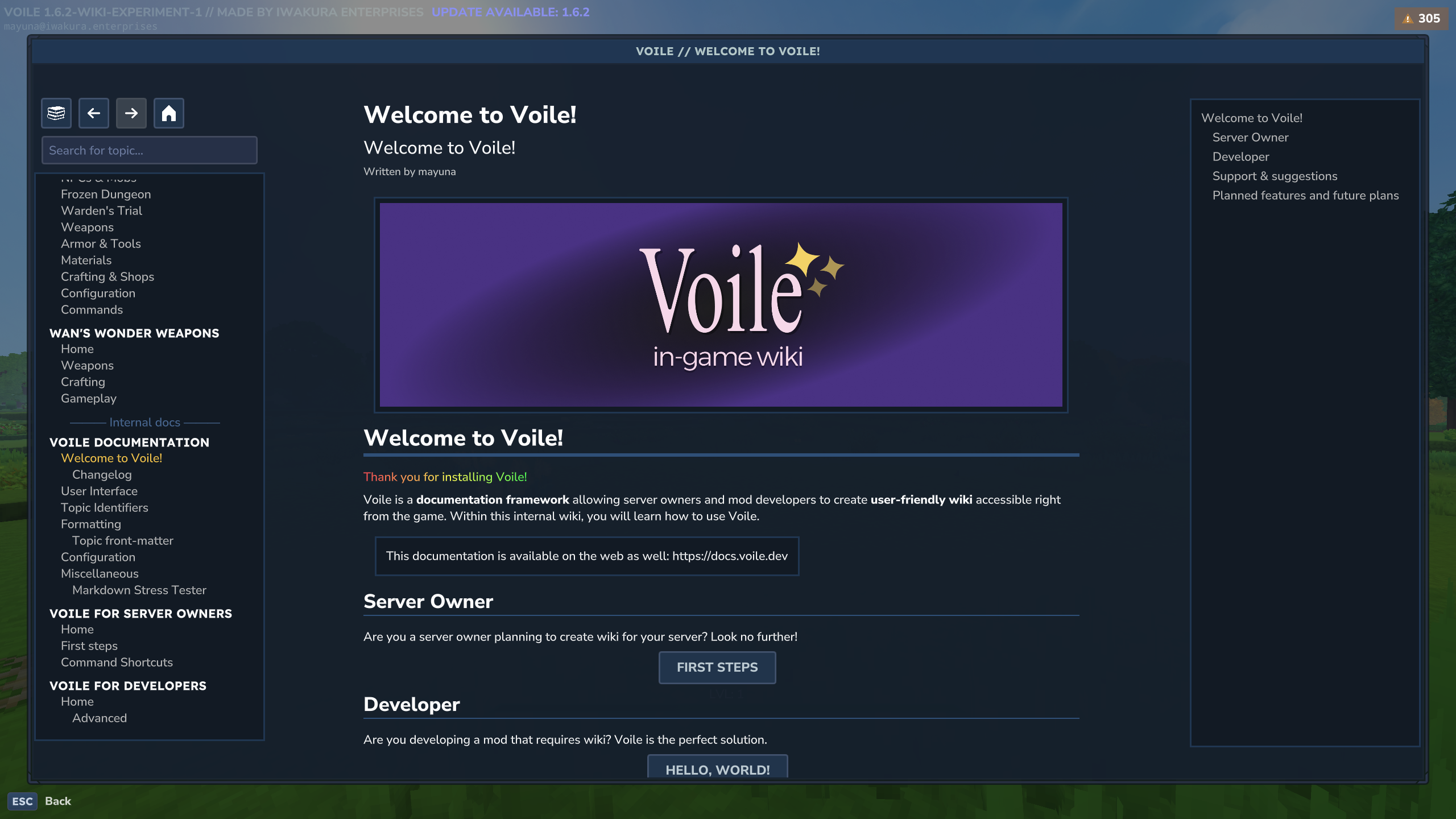
Sections
The UI is separated into three distinct sections, from left to the right:
Documentation tree list
Topic content
Chapter tree list
Documentation Tree List
The DTL provides you a list of available documentations, buttons to navigate the interface and search bar.
Buttons
Interface mode: the first button allows you to change the interface modes. These modes have their own specific documentation types. Voile uses them to organize various integrations with other mods and/or services.
Navigation buttons: back, forward and home; buttons that work like in a internet browser. These buttons allows you to navigate Voile's topics with ease.
As of now, there are two interface modes:
Voile
Hytale Modding Wiki
To disable the Hytale Modding Wiki, see Configuration.
Search bar
You may search through topics with the search bar. The search functionality searches only in the chose interface mode and does not support full-text search (yet).
Topics that match the search query are highlighted with blue color. If topic's child topic match the search query, their parent topic is also included in the search results.
Documentation & topic list
List of all available documentations for the chosen interface mode.
Topic content
Currently opened topic is rendered in the middle of the interface. Topic's content is rendered Markdown.
For formatting information, see Formatting.
Chapter tree list
The CTL shows you all chapters within the opened topic. As of now, clicking the chapters won't do anything. This is due to Hytale's limitation; you can't move scrollbars programmatically.