Voile for Developers
Simple or complex documentations, you don't have to install any dependencies. Voile will load documentations straight from your mod's resources. This allows you to focus on the documentation, rather than on adding a mod support.
There are currently two ways to add documentations:
Create simple documentation inside a single Markdown file
Create documentation with unlimited number of topics & sub-topics
Based on your needs, you'll have to choose. The former allows you to quickly sketch up simple documentation, while the latter allows you to create complex-yet-simple documentation with many topics.
In this topic, we'll focus on the first way. For the second way, please see Advanced topic.
Simple Documentation
Simply create a Markdown file in your mod's resources at Common/Docs/{ModGroup}_{ModName}.md where the ModGroup is your mod's group and ModName your mod's name. The file name is case-sensitive.
Common/Docs/MyGroup_MyMod.md
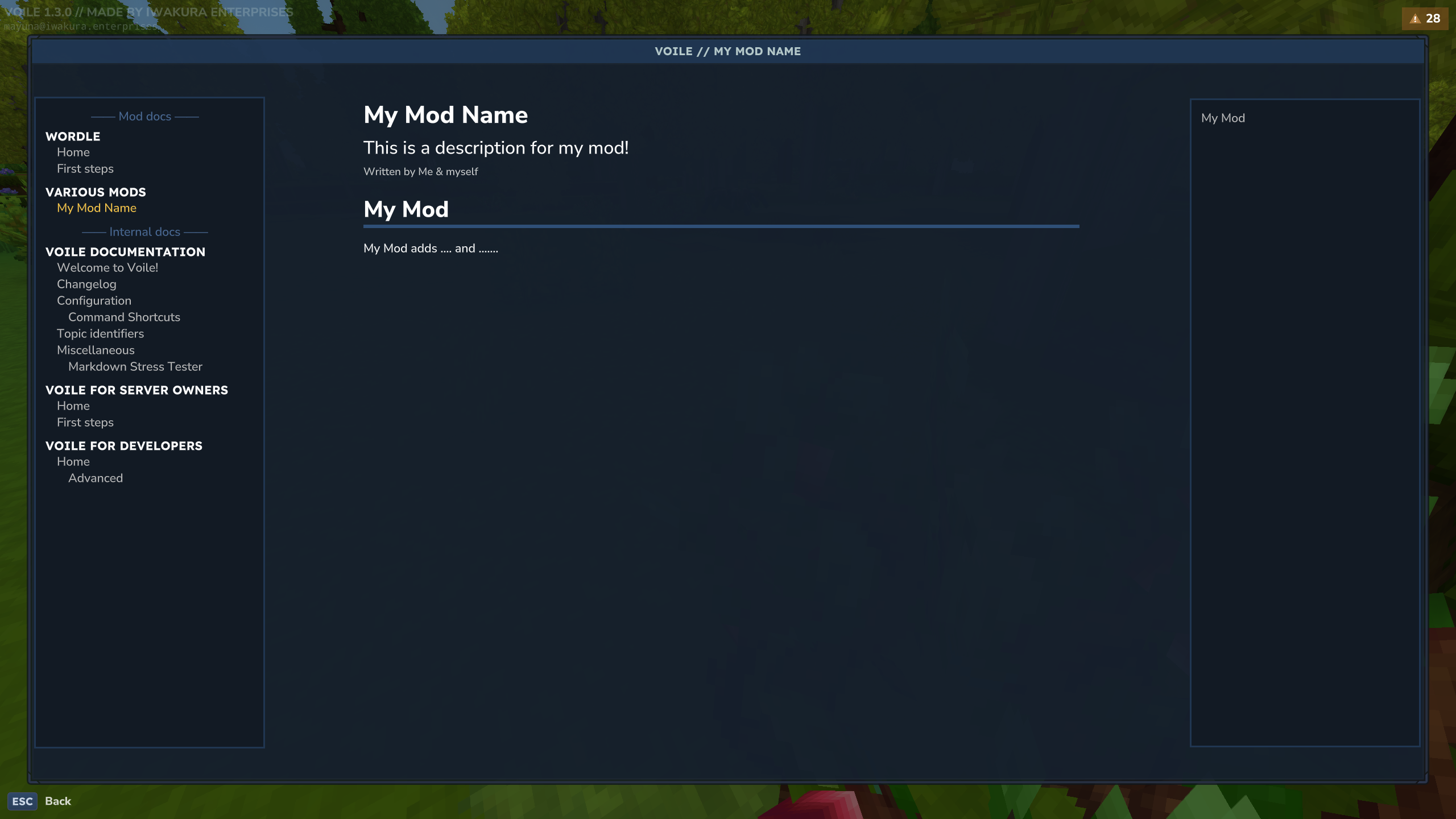
That's it. Voile will show your Markdown file (topic) under documentation named Various Mods.
However, there are some limitations:
You may not specify topic's ID.
You may not specify sub-topics.
You may not specify the sort index.
Topics in Various Mods documentation are always sorted alphabetically.
If you're looking for more advanced support, see Advanced topic. For topic formatting tips, see the Formatting.