Topic localization
Topics can be easily localized into different languages. This can be done by creating a topic with the same ID and specifying a locale. You may specify a locale either in the topic's file name ({topic-id}${locale}.md) or in the topic's front-matter (locale-type field).
For more information how to specify a locale, please see the Topic file topic.
Supported languages / locales
Voile currently supports over 40 different languages. All languages have a specific language code that can be used when specifying the locale. For example, English has language code of en.
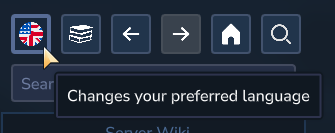
Here's a shortened list of supported locales. This list is not complete, please use Voile's language select to see all supported languages/locales.
Language name | Configuration value | Language code |
|---|---|---|
English |
|
|
Spanish |
|
|
Portuguese |
|
|
French |
|
|
German |
|
|
Italian |
|
|
Dutch |
|
|
Polish |
|
|
Russian |
|
|
Ukrainian |
|
|
Swedish |
|
|
Norwegian |
|
|
Danish |
|
|
Finnish |
|
|
Greek |
|
|
Czech |
|
|
Selecting preferred language
You may select your preferred language using the top-left button above the documentation tree list (the one with a country flag).
After selecting, Voile will prioritize showing topics with your preferred language. If the topic is not translated into your preferred language, Voile will fall back to the English one and then to any other available language.
Configuring server default language
In the configuration file in Voile's data folder (mods/IwakuraEnterprises_Voile/config.json) you may define interface preference defaults. This includes the preferred language (under the localeType field). This field defines the default preferred language for all players playing on the server. Setting this field to null will prefer the player's game language.
For more information how to change this value, see the Configuration topic.
Topic IDs and locales
When translating a topic, you must use the same topic ID for the translated topic. This way Voile knows what topics are translated and correctly displays them for the currently selected preferred language.
For example, you have a topic with ID my-topic in the file named my-topic.md. To create Czech translation of the topic, you need to create file named my-topic$cs.md or specify the ID my-topic and locale type cs in a different file.